From list to cards
Reframing a dense enterprise data catalog into a card-based browsing experience that makes complex assets easier to scan, compare, and understand.
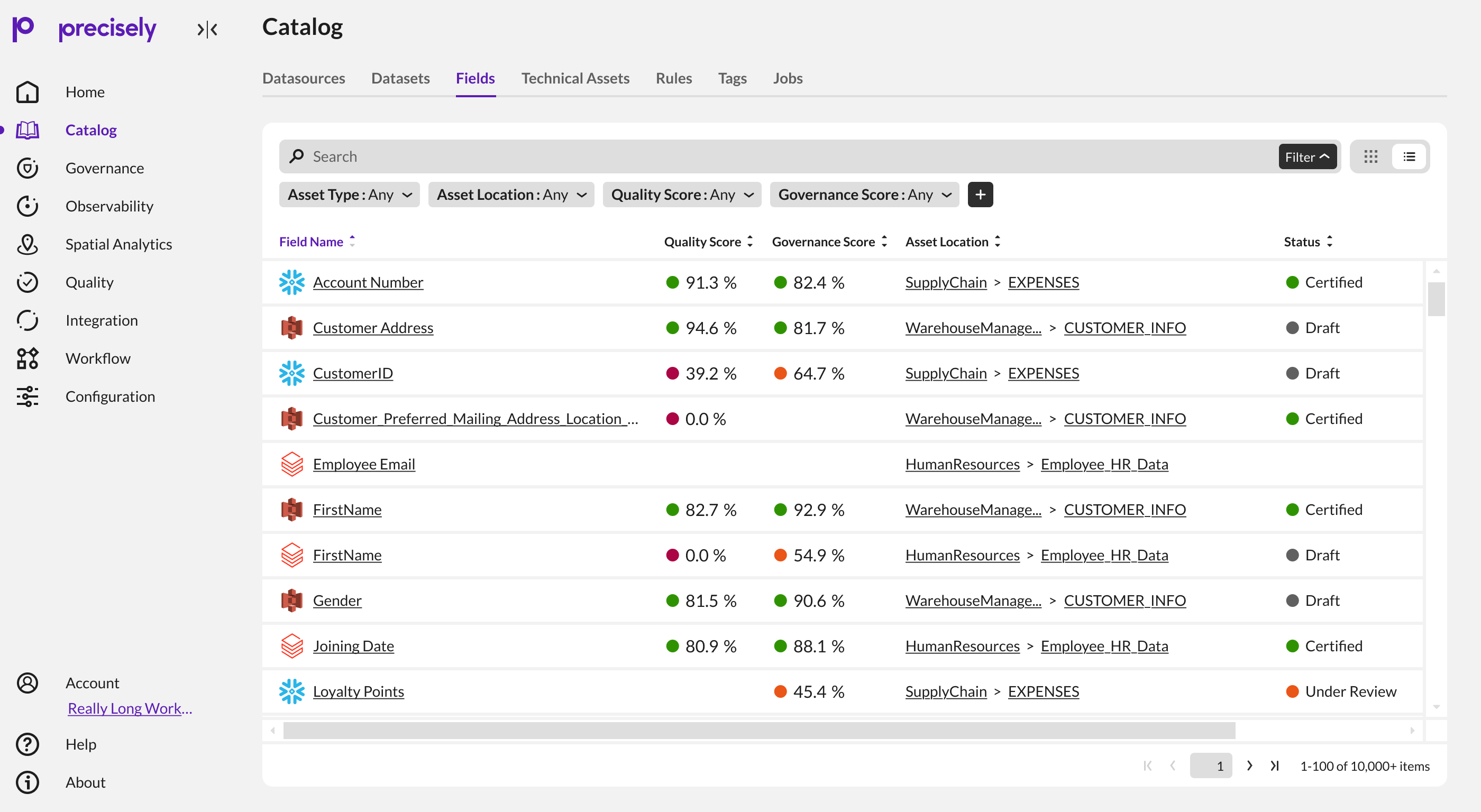
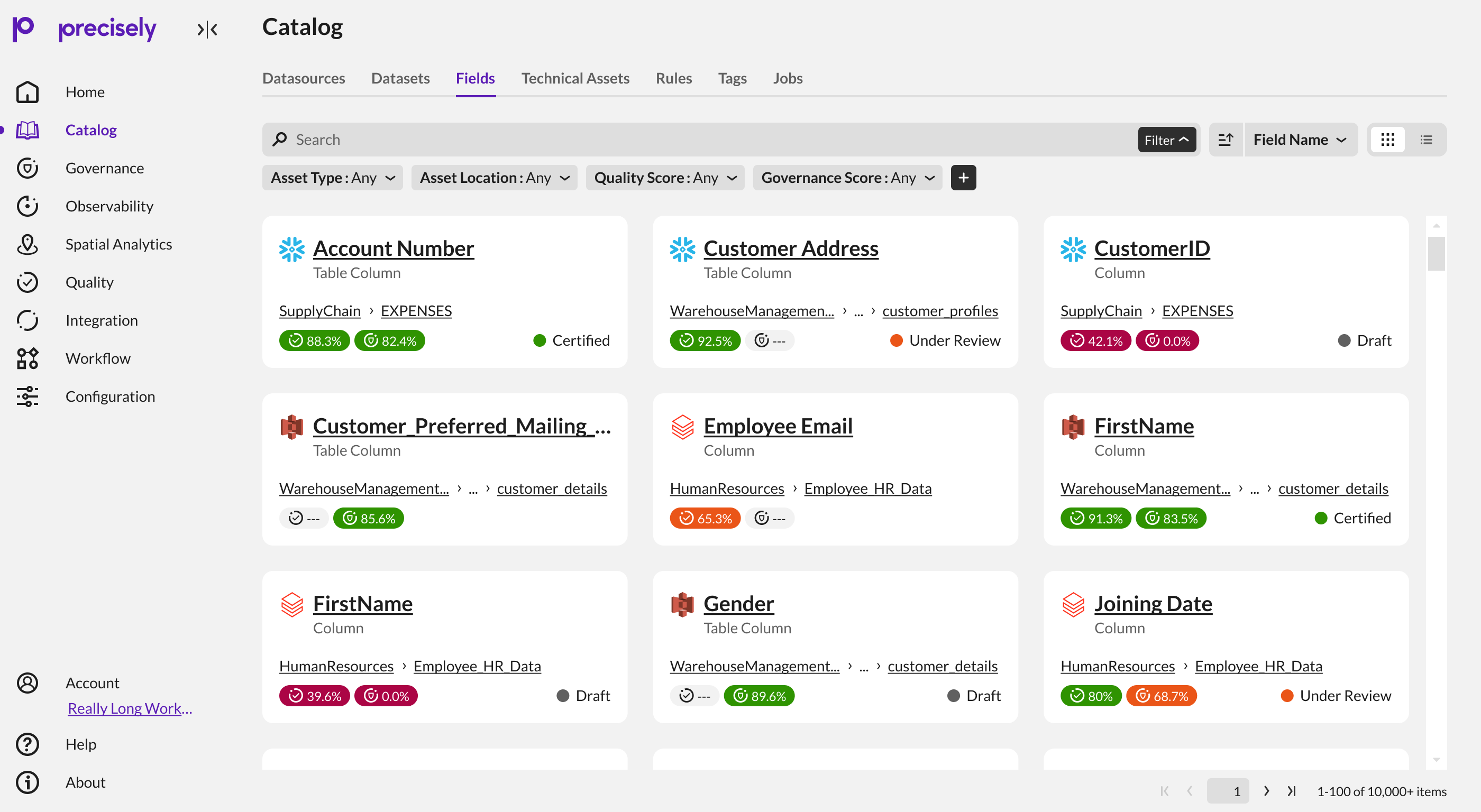
The problem wasn't data. It was how the data was being presented.
Catalog users work with large volumes of assets. The existing list view exposed a lot of information, but required users to scan across rows and columns to build an understanding of each asset.
The redesign started from a simple question: could the same information become easier to consume without reducing the depth expected from an enterprise catalog?
The answer became a card model: a compact visual container that groups identity, location, metadata, quality, governance, and status into a hierarchy that can be scanned more naturally.
Dense information
Quality, governance, location, status, asset type and metadata all compete for attention.
Enterprise scale
The experience needs to remain useful across large result sets rather than only a handful of assets.
Existing conventions
The redesign had to feel like the same product, not a disconnected visual experiment.
Define the reading order before designing the card.
The card was not treated as a decorative alternative to the list. It needed to reorganize the same enterprise information into a clearer way of scanning.
I grouped the content into four jobs: identify the asset, locate it, communicate its health, and keep actions available. This became the foundation for the concepts and the later slices.
Identity first
The asset name and type establish what the user is looking at before supporting information is parsed.
Context second
Location stays close to the identity so users can understand where the asset belongs.
Health stays visible
Quality and governance become compact signals rather than distant table columns.
Actions stay quiet
Selection and overflow actions remain available without becoming the visual focus.
Test the hierarchy before committing to a pattern.
The early concepts explored how much information the card could carry, how metadata should group, and where actions could live. I narrowed the exploration to the concepts that exposed meaningful trade-offs.
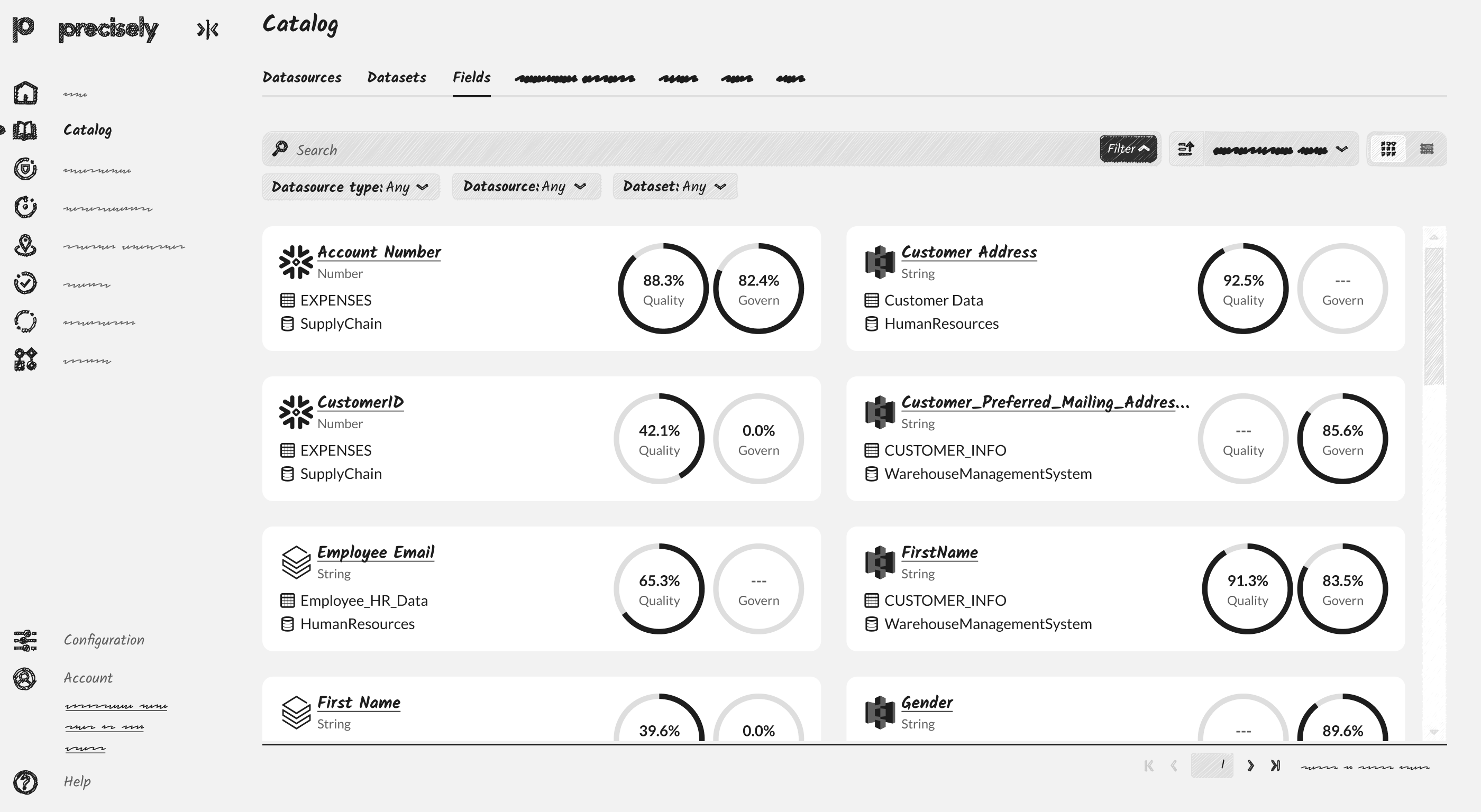
Information hierarchy
Test how identity, metadata and supporting signals compete for attention.
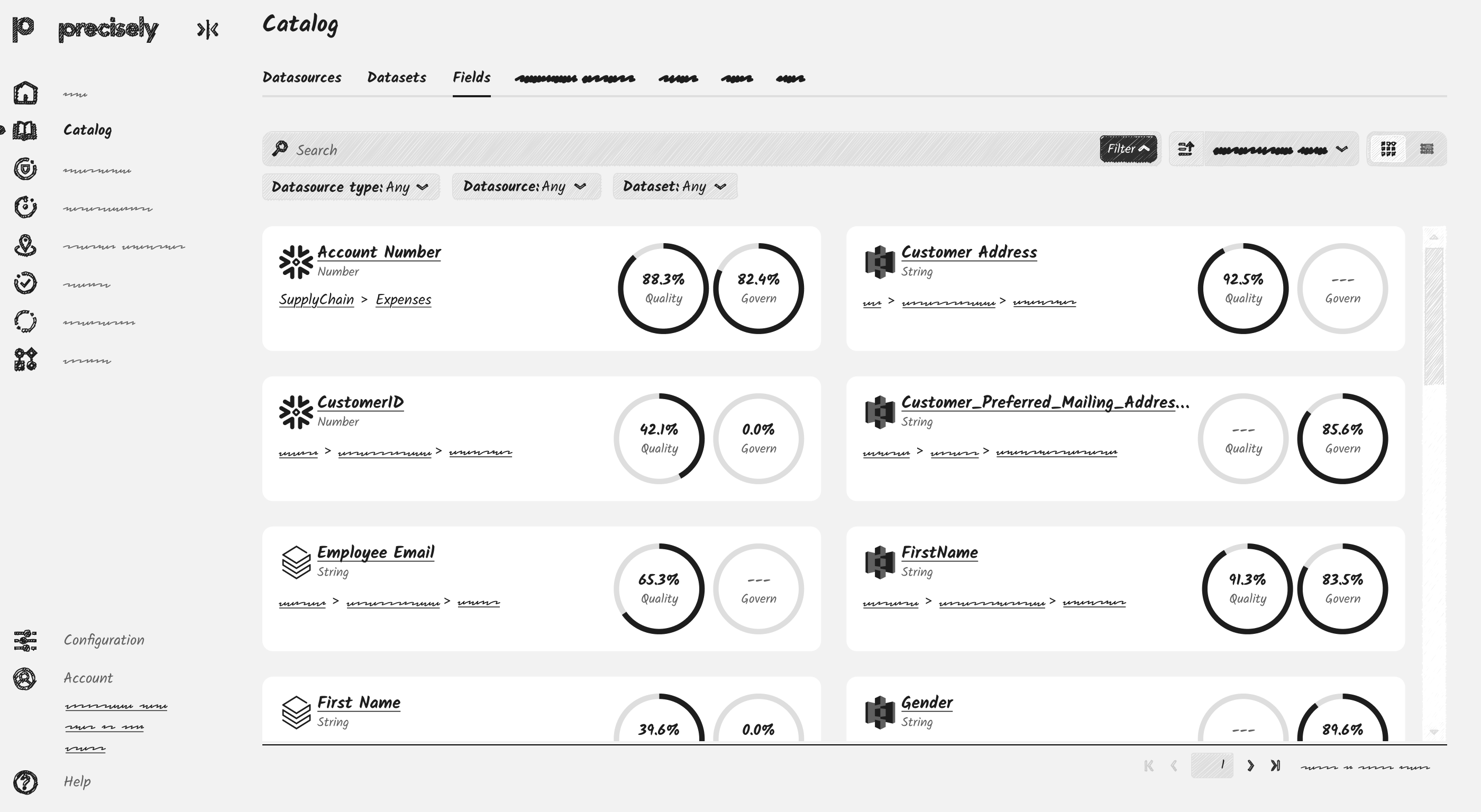
Density and grouping
Explore how much information the card can carry without recreating table-like density.
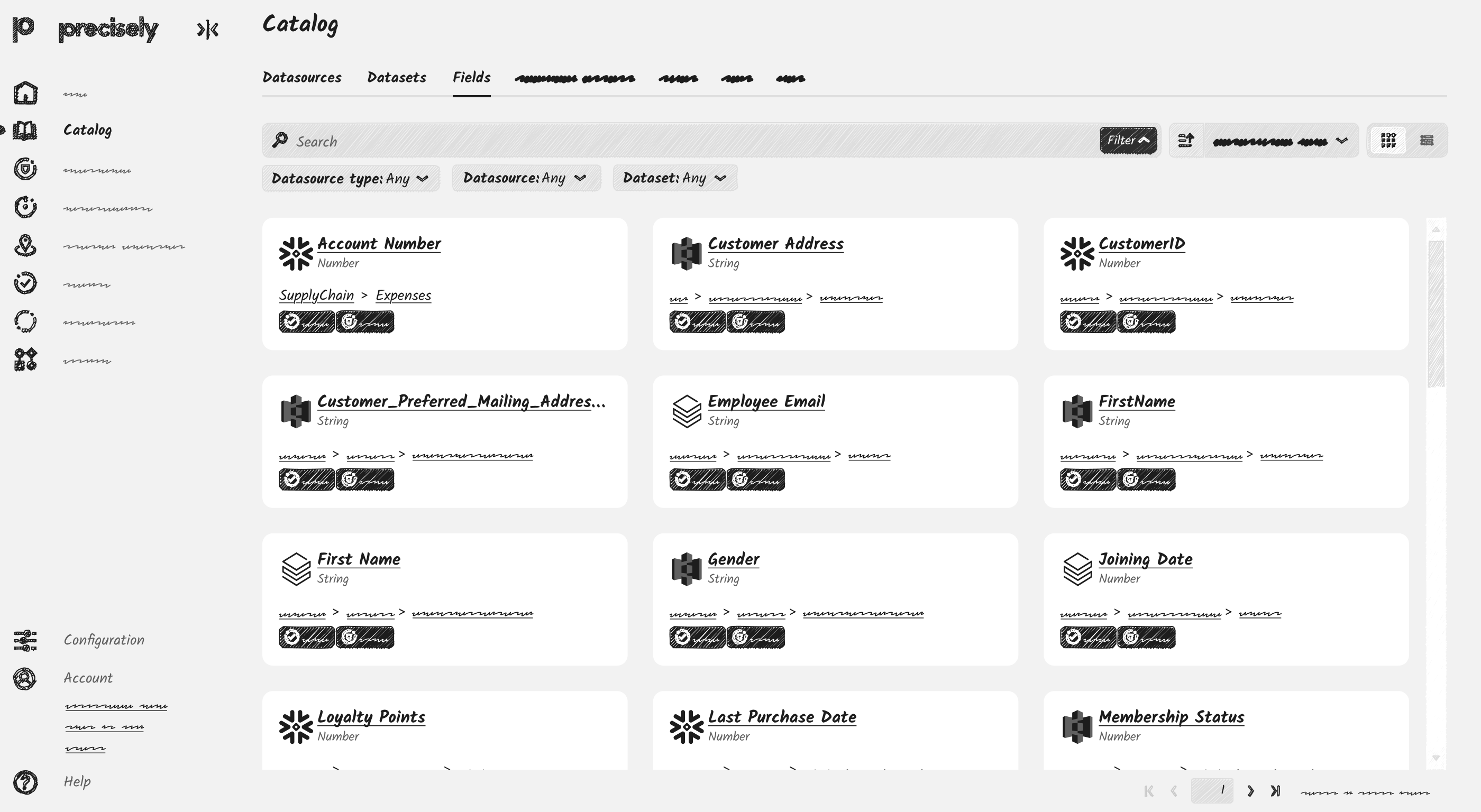
Refining the direction
Narrow the model toward a repeatable structure that can support later slices.
Ship the experience in slices, refining the system as it grows.
The design was deliberately delivered in slices rather than trying to solve every requirement at once.
Each slice added a capability while keeping the underlying hierarchy intact. The final slice brought the remaining information and interaction decisions together.
Establish the card
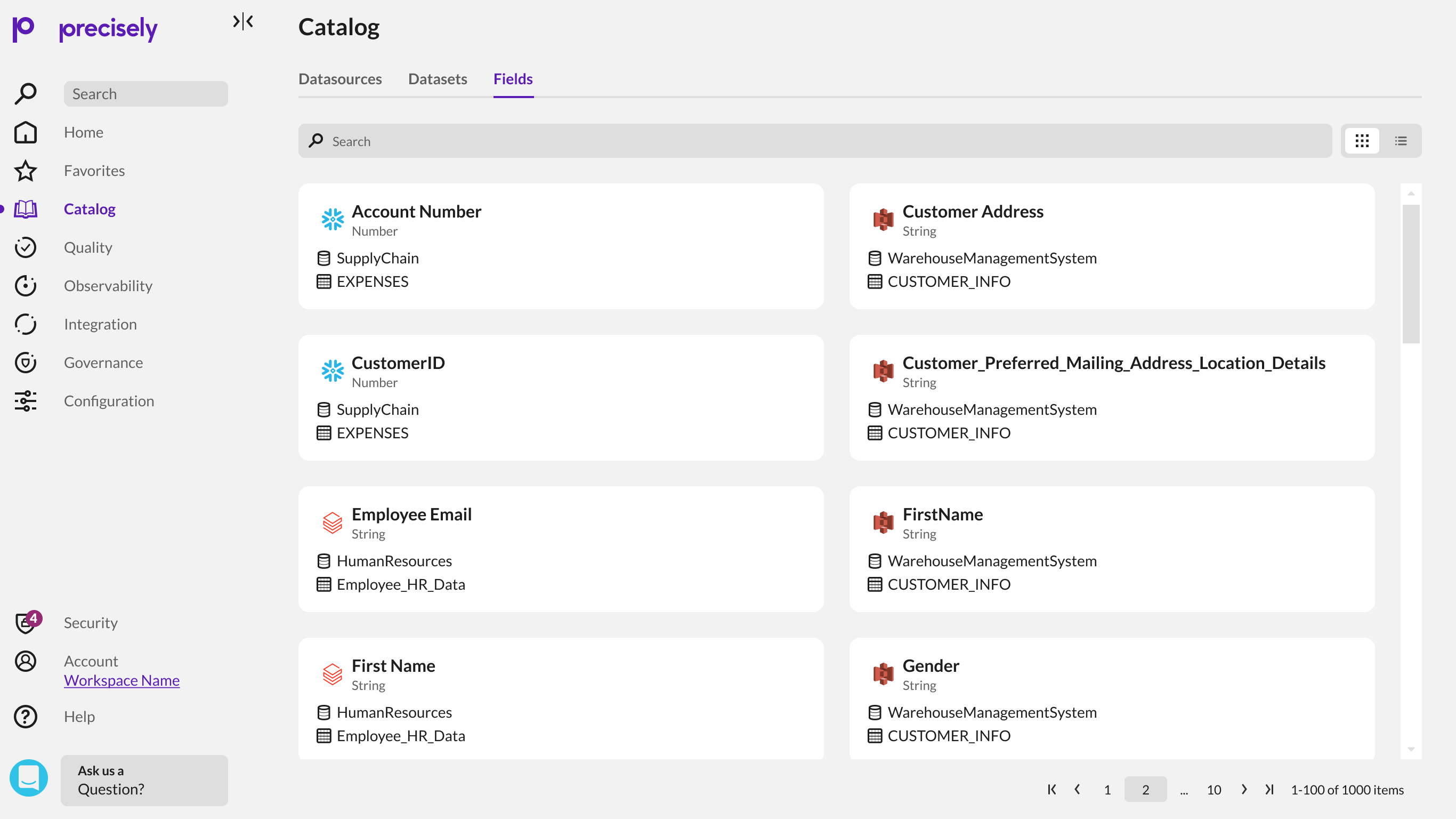
Datatype moved directly below the field name, while icons reduced repeated text and preserved space. This established the basic card hierarchy.
Add sorting
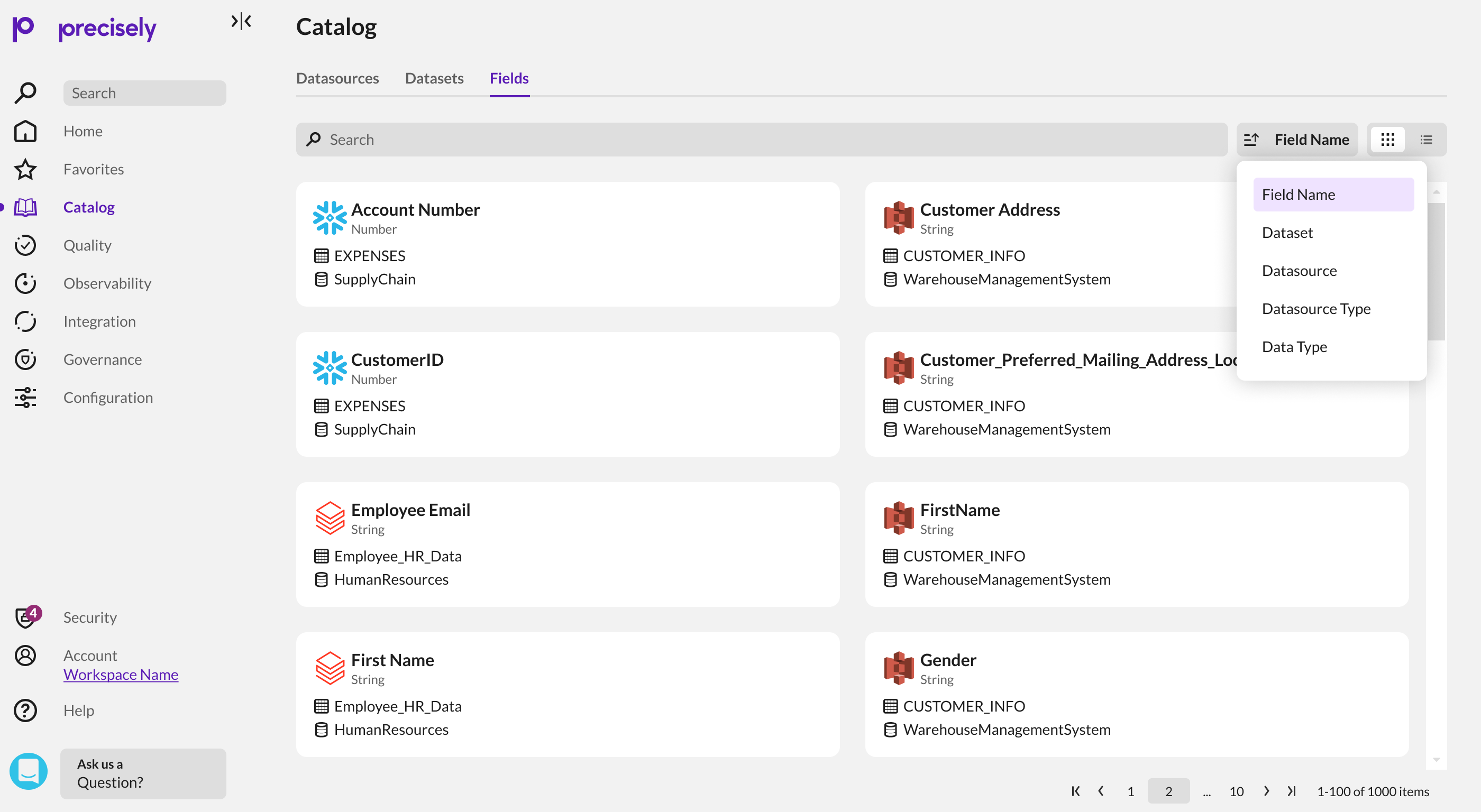
List view could use column headers for sorting; card view had no columns, so sorting needed an explicit alternative.
Surface scores
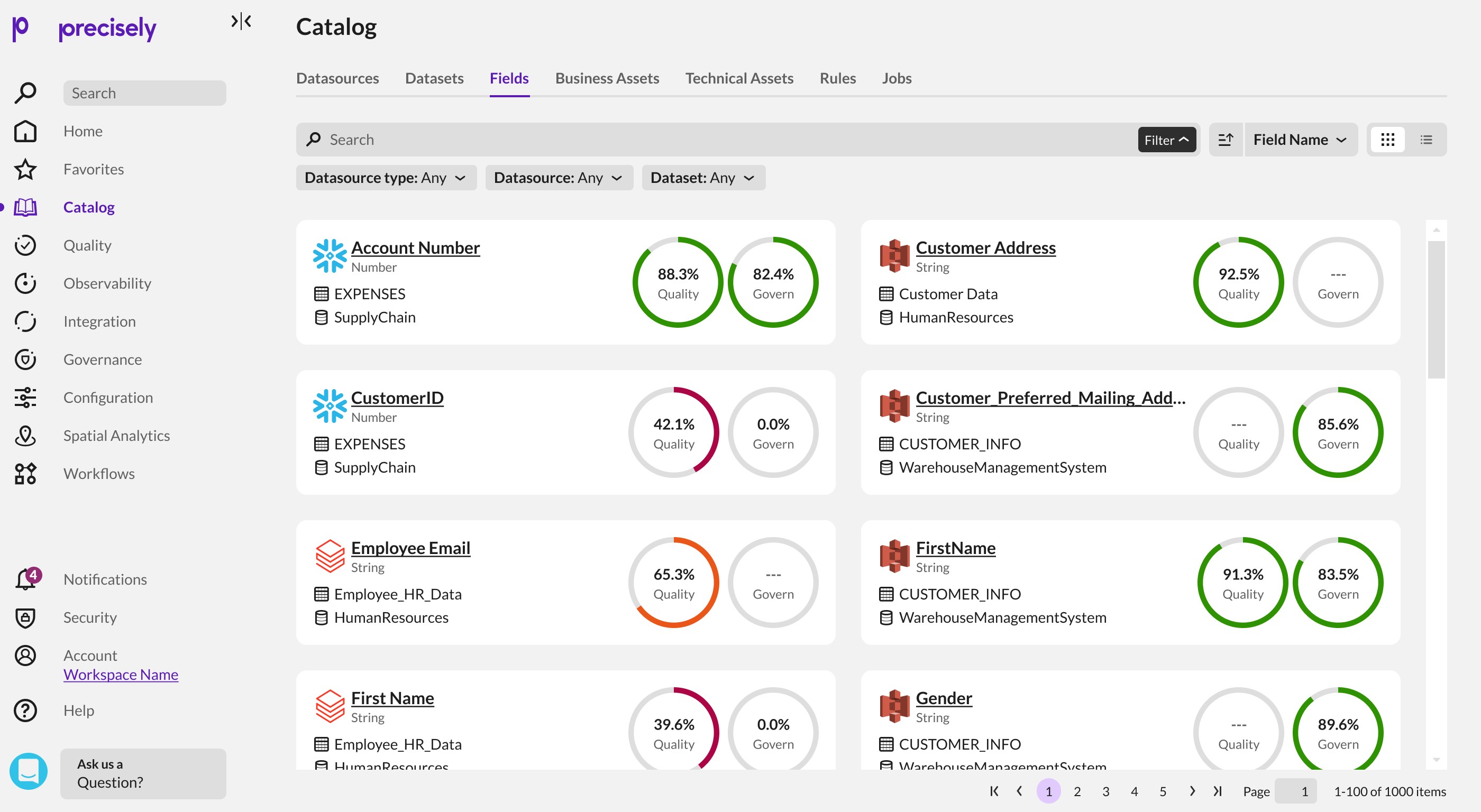
Quality and governance scores were introduced as compact donut indicators so important signals could remain visible without dominating the card.
Resolve density and context
Different score treatments were explored to create room for location and status while keeping the card compact.
Bring the remaining information into one coherent card.
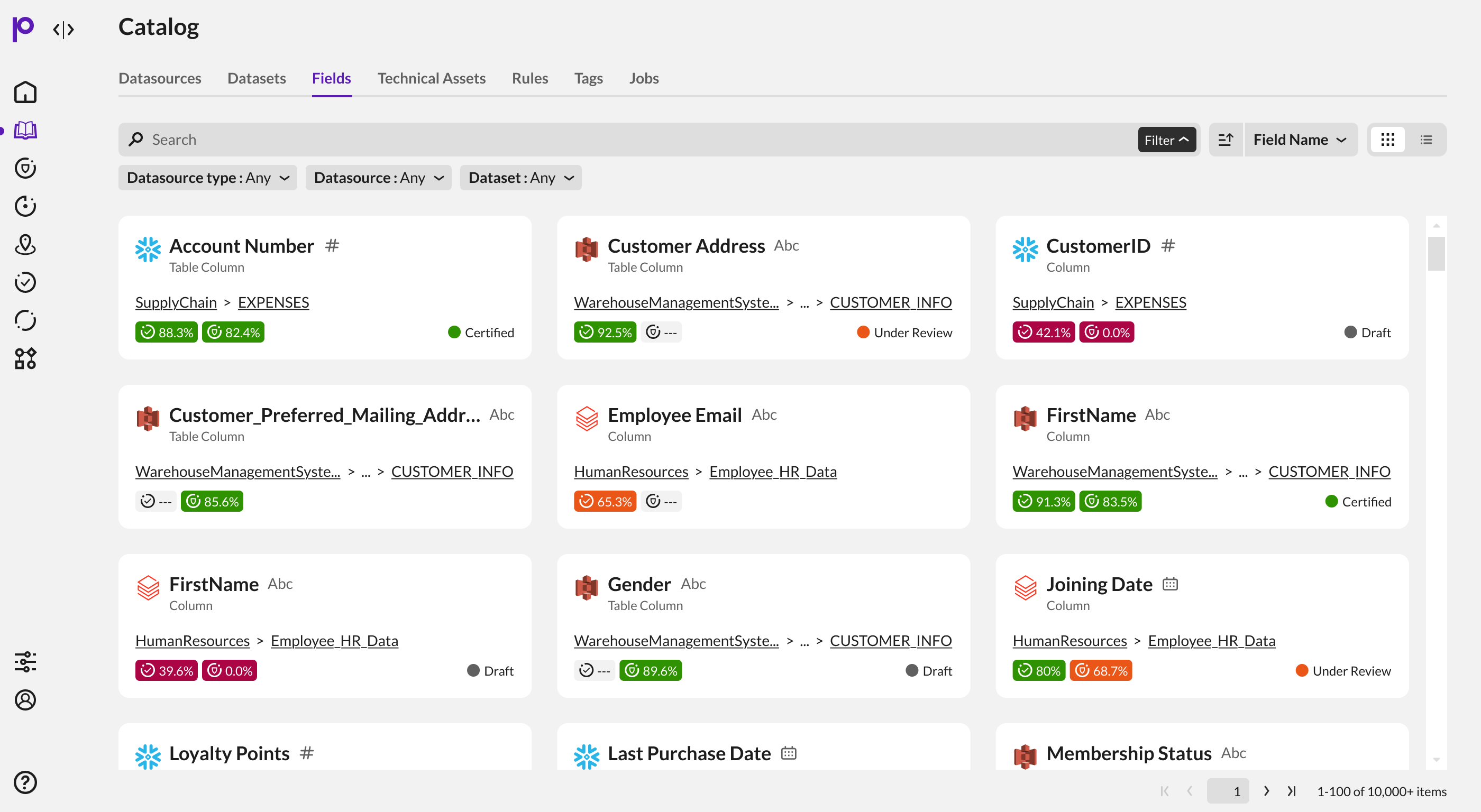
The final Slice 4 direction introduced location, asset type, score pills, status and interaction states. The key was fitting these into the existing hierarchy rather than adding another layer of density.
Final card direction
Asset type sits directly below the name, score pills stay compact, status becomes visible, and the card supports different states for future multi-select.
Location interaction
Locations can become long as the hierarchy deepens. The visible path stays compact within the card, while the interaction exposes the full location when more context is needed.
A reusable component designed for real enterprise data.
The final design is more than the finished card. It is the hierarchy, anatomy, states and edge cases that make the pattern reusable.
This is where the design moves from a single visual treatment into a component that can work across the catalog.

One visual rhythm across asset types.
Identity sits at the top, location follows, compact score signals sit below, and status/actions remain consistently placed. The structure is predictable without forcing every asset into identical content.
Asset identity
Name + asset type establish recognition.
Location
Shows where the asset sits in the hierarchy.
Quality
Turns multidimensional scores into a fast signal.
Governance
Adds a second verification signal alongside quality.
Status / actions
Keeps selection and lifecycle actions available.
Design the card as a component, not a screenshot.
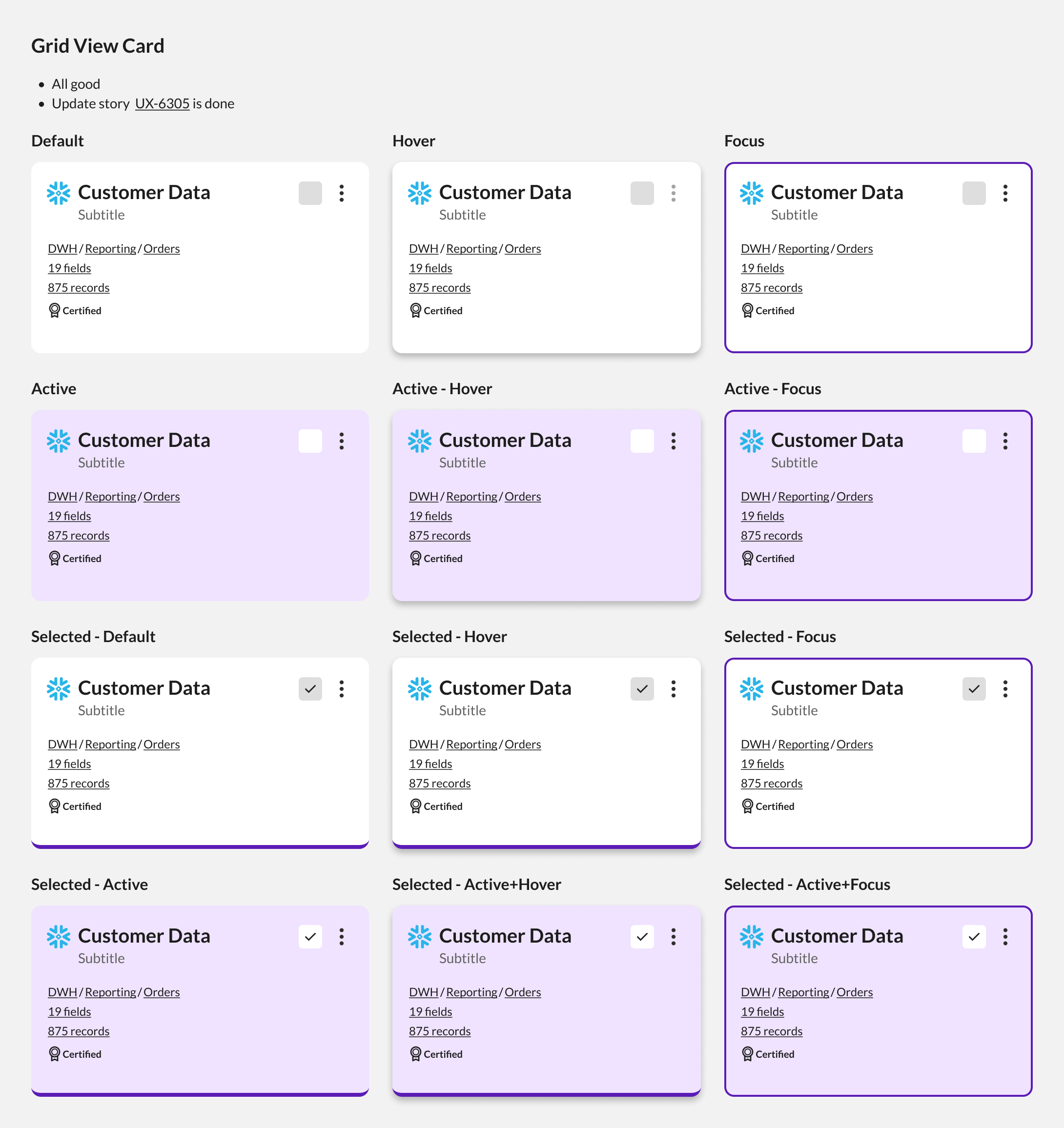
A reusable card needs consistent default, hover, focus, active and selected states.
The state exploration defines how those states coexist without overpowering the content hierarchy.
Account for what happens when the content is messy.
Enterprise data does not arrive in a perfect shape. The component needed to remain legible when names are long, values are missing, asset types differ and users are working at scale.
Long names
Truncation preserves the ability to identify the asset without allowing one value to dictate card height.
Missing values
Not every asset has every score, so empty states remain intentional rather than looking broken.
Mixed asset types
The same structure remains coherent across different asset types without forcing identical content.
Status
Different lifecycle states remain distinguishable at a glance.
Selection
Selection remains visible without overpowering the content or confusing focus.
Scale
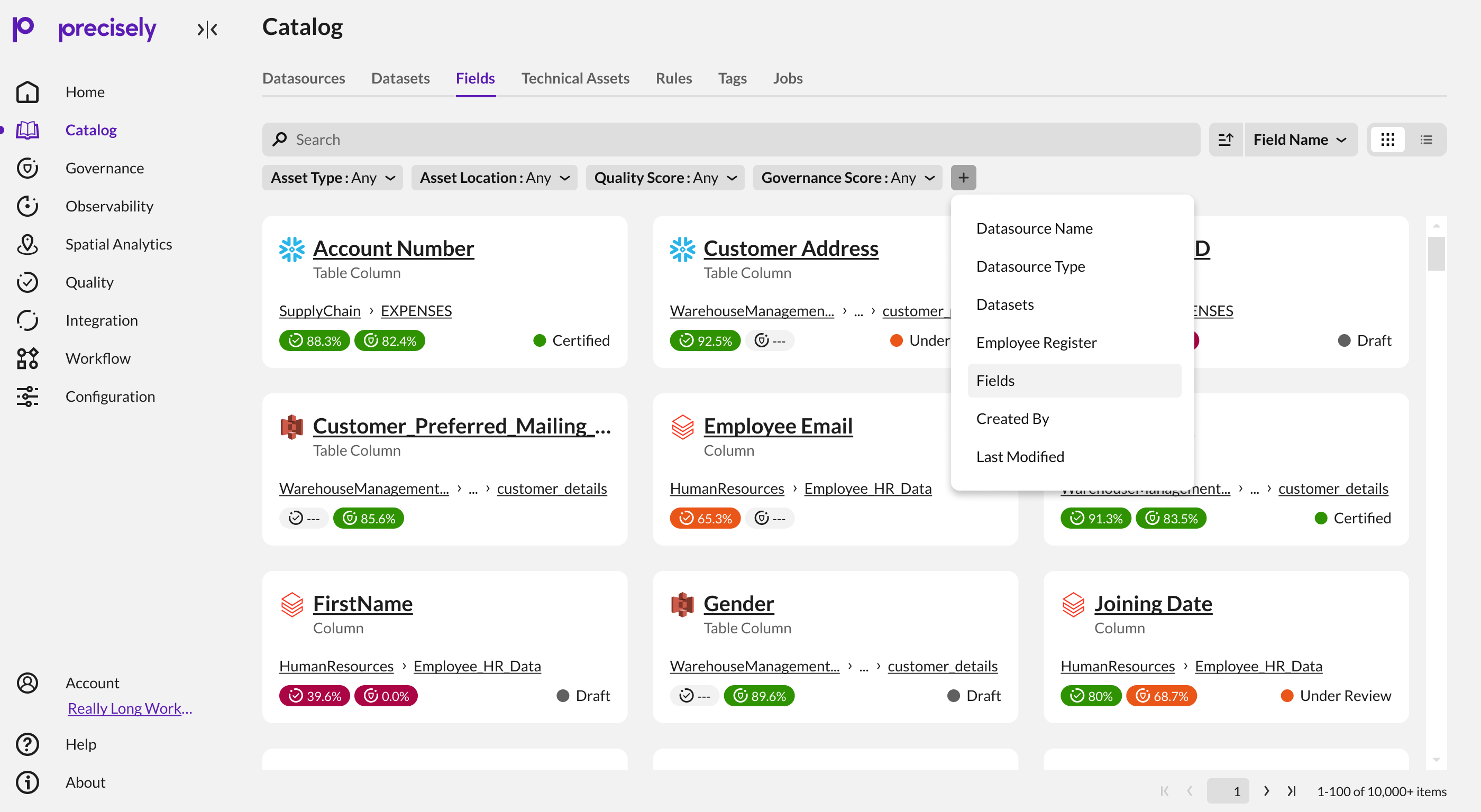
Search, filters, sorting and pagination continue to support large result sets around the card view.
Part of the catalog, not an isolated card grid.
The card view changes how each result is understood; it does not remove the controls needed to manage a large dataset.
Refined with the people who would build and use it.
The work evolved through regular review rather than in isolation.
Initial concepts were reviewed with my manager and the Product Manager. Engineering and other stakeholders reviewed the work through weekly refinement discussions, SEs provided early feedback, and internal demos helped refine the experience before it shipped.
Manager + PM
I owned the card and list-view experience and used early reviews to refine the information hierarchy and direction.
Engineering + stakeholders
Weekly refinement conversations and early SE feedback helped shape the design around implementation realities.
Internal demos
Internal demos created another feedback loop before the experience shipped to production.
A reusable pattern, not just a new view.
The work established a clearer visual language for representing catalog assets as objects rather than rows.
The pattern created a foundation that can scale across Datasets, Fields and Datasources while keeping the product's information architecture recognizable.
The experience shipped to production and is currently used by all users.
Complex catalog information became easier to scan, compare and reason about.
The card model brought identity, context, quality, governance and status into one coherent visual unit while leaving the underlying enterprise complexity intact.
What I would carry forward.
The most valuable part of this work was the systems thinking behind a seemingly simple UI change: deciding what information deserved attention, how states should behave, and how the pattern would survive real enterprise data.
Design the system, not the screenshot.
A card is only successful when its structure, states and edge cases are understood well enough to become a repeatable component.
Complexity should be organized, not hidden.
Enterprise products cannot always become simpler by removing information. Good design can make complexity legible.